The Role of the Microsoft 365 Agents Toolkit in Enterprise AI Agent Development
Microsoft 365 Agents Toolkit is a pro-developer suite (evolved from Teams Toolkit) for building, testing, and deploying scalable AI agents with deep M365 Copilot integration, full-code control, and enterprise features.

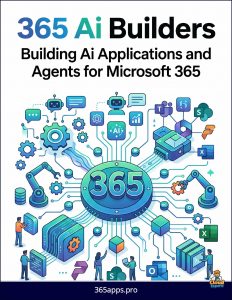 The Microsoft 365 Agents Toolkit is a comprehensive developer suite for building, testing, debugging, and deploying production-grade AI agents and applications across the Microsoft 365 ecosystem.
An evolution of the popular Teams Toolkit, it has been rebranded and expanded to reflect Microsoft’s strategic focus on agentic AI.
It serves as the primary pro-developer tool for creating agents that integrate deeply with Microsoft 365 Copilot, Teams, Outlook, Office apps, and beyond.
Bridging Low-Code and Full-Code Development
While Microsoft Copilot Studio targets citizen developers and rapid low-code agent building, the Agents Toolkit empowers professional developers who need greater control, customization, and scalability. It supports both declarative agents (configured primarily through instructions, knowledge, and actions) and custom engine agents (where developers define the full orchestration logic using code). This makes it ideal for complex, autonomous, or highly regulated scenarios that exceed the capabilities of low-code platforms.
Core Capabilities and Features
The toolkit provides end-to-end support for the development lifecycle:
- Project Scaffolding: Ready-made templates for agents, bots, tabs, message extensions, and common scenarios.
- Seamless Integration: Built-in support for the Microsoft 365 Agents SDK, enabling custom orchestration, authentication, conversation state management, and multi-channel deployment (Teams, Copilot, web, email, SMS, etc.).
- Development Experience: Available as VS Code and Visual Studio extensions, plus a CLI for automation and CI/CD pipelines. Features include local debugging, testing (including a Playground), and simplified SSO and data storage.
- “Write Once, Run Everywhere”: Agents and apps can be published across Microsoft 365 surfaces and the Microsoft 365 Store with centralized management.
It integrates with Azure AI Foundry for advanced models, TypeSpec for schema definitions, and enterprise governance tools, ensuring security, compliance, and observability.
Strategic Role in the Microsoft AI Stack
The Agents Toolkit plays a pivotal role in Microsoft’s agent ecosystem by enabling:
- Extension of Microsoft 365 Copilot with custom, organization-specific agents.
- Multi-agent orchestration and autonomous workflows.
- Deep integration with Microsoft Graph, SharePoint, Dataverse, and other enterprise data sources.
- Transition from prototypes to governed, scalable production agents suitable for regulated industries.
When to Use the Agents Toolkit
Choose the toolkit when you require full code control, advanced AI orchestration, custom models, complex business logic, or deployment flexibility that low-code tools cannot provide. It complements Copilot Studio: many organizations use Studio for initial rapid development and the Agents Toolkit for advanced customization or high-scale deployments.
In summary, the Microsoft 365 Agents Toolkit democratizes sophisticated agent development for pro developers. It accelerates delivery of intelligent, secure, and deeply integrated agents while maintaining the enterprise controls and ecosystem reach that Microsoft 365 demands. As agentic AI matures, it stands as an essential tool for technical leaders building the next generation of productivity and automation solutions. For hands-on exploration, start with the VS Code extension and Microsoft Learn documentation.