 Microsoft Copilot Studio is a low-code platform designed for creating, customizing, and deploying intelligent AI agents.
It enables organizations to build conversational and autonomous agents that connect with business data, automate workflows, and function across various internal and external channels.
Originally evolving from Power Virtual Agents, it now forms a central part of Microsoft’s broader agent ecosystem. This allows for both standalone agents and seamless extensions to Microsoft 365 Copilot.
Core Value Proposition
At its core, Copilot Studio bridges the gap between generic AI assistants and the specific requirements of individual organizations. It empowers businesses to develop agents that securely connect to enterprise data sources through prebuilt connectors, custom integrations, SharePoint, Dataverse, and other systems.
These agents excel at automating repetitive tasks and complex workflows while handling natural language interactions and generative responses. They can also support autonomous decision-making and scale effectively across Microsoft 365 applications such as Teams and SharePoint, as well as websites, mobile apps, voice channels, and social platforms.
The platform’s primary differentiators include its intuitive low-code graphical interface paired with natural language authoring capabilities. It maintains enterprise-grade security and compliance standards in line with Microsoft’s responsible AI principles.
Additionally, it integrates smoothly with the wider Microsoft ecosystem, particularly Power Platform tools like Power Automate, enabling both technical and citizen developers to build sophisticated solutions rapidly.
Key Capabilities
Key capabilities of Copilot Studio center on agent creation and customization. Users can describe agents in plain language or leverage a visual designer to define instructions, conversation topics, knowledge sources, and available tools.
AI assists throughout the process by generating and refining topics. Agents draw from documents, websites, databases, and APIs, and they can invoke flows, prompts, code interpreters, or collaborate with other agents in multi-agent orchestration scenarios.
The platform also supports agent flows for automation, including triggers, actions with human review loops, and scheduled operations that drive end-to-end process automation. Additional features encompass autonomous agents capable of planning and learning, voice-enabled interactions for IVR scenarios, multi-language support, and robust publishing options to both internal Microsoft 365 environments and external channels.
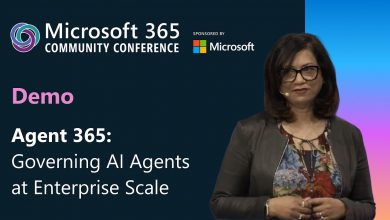
Comprehensive analytics, monitoring, and governance tools are available through the Power Platform admin center, Microsoft Purview, and Viva Insights. Agent 365 serves as a centralized control plane for organization-wide management, security, and scaling.
Common Use Cases
Common use cases span internal productivity improvements and customer engagement. Internally, organizations deploy agents for HR inquiries on benefits, IT support, employee onboarding, and enterprise knowledge retrieval.
Externally, they handle sales assistance, order tracking, and troubleshooting across websites or messaging platforms. The platform further enables workflow automation for approvals, data processing, scheduling, and multi-step operations that integrate disparate systems. Industry-specific applications have emerged in sectors such as healthcare (non-clinical), retail, finance, and logistics. Many organizations begin with ready-made templates or agents from the Agent Store and customize them to fit unique needs.
Integration with Microsoft 365 Copilot
A standout strength of Copilot Studio is its tight integration with Microsoft 365 Copilot. Custom agents built in the studio can be published directly into the Microsoft 365 Copilot experience, delivering organization-specific knowledge and actions within familiar applications like Teams and Outlook for licensed users.
Licensing and Pricing
Licensing follows a flexible model. Microsoft 365 Copilot licensed users can build and use internal agents at no additional cost, subject to usage limits. For broader or external scenarios, standalone Copilot Studio licensing applies, typically through consumption-based Copilot Credits.
Capacity packs, pay-as-you-go options via Azure subscriptions, and pre-purchase plans are available, with costs driven primarily by runtime actions such as generative responses and tool executions rather than authoring. Organizations are advised to use Microsoft’s planning tools to forecast and manage expenses effectively.
Conclusion
From a strategic perspective, Copilot Studio delivers significant benefits. It accelerates development timelines by empowering non-developers to create production-ready agents, leading to measurable returns through automation, lower support costs, and enhanced employee and customer experiences. Strong built-in governance, security, and compliance features make it suitable for enterprise deployment, while ongoing Microsoft advancements in agentic AI ensure future relevance.
Success, however, depends on well-defined use cases, high-quality data foundations, effective change management, and careful monitoring of consumption costs. It should be viewed as part of a broader AI strategy rather than a standalone solution.
In summary, Microsoft Copilot Studio equips organizations to move beyond generic AI interactions toward tailored, actionable intelligence.
By democratizing agent development while preserving robust enterprise controls, it drives faster innovation, greater operational efficiency, and competitive advantage in the AI era. Executives evaluating AI initiatives should consider it a strategic platform for agent adoption, beginning with high-impact internal use cases before expanding to customer-facing applications.