Collaboration 365: Best Practice Guide – Using Microsoft SharePoint for Your Company Intranet
Sharepoint brings together communication, collaboration, document management, and AI-driven features within a secure, scalable environment that connects employees, simplifies workflows, and boosts overall engagement.

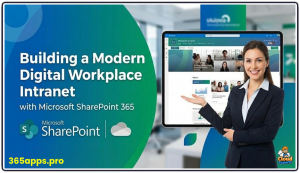 Microsoft SharePoint, as part of Microsoft 365, forms the backbone of a modern, intelligent company intranet.
It brings together communication, collaboration, document management, and AI-driven features within a secure, scalable environment that connects employees, simplifies workflows, and boosts overall engagement.
The platform offers responsive design that adapts seamlessly to desktops, tablets, and mobiles, along with intuitive no-code page creation tools. Deep integration with Teams, OneDrive, Planner, Viva, and Copilot enables centralized access to news, events, documents, and powerful enterprise search.
Modern SharePoint favors a flat architecture that avoids complex subsite hierarchies, instead using hub sites to organize related content, communication sites for broad announcements, team sites for interactive work, and a central Home Site as the main intranet entry point. High adoption stems primarily from delivering relevant, straightforward, and frequently refreshed content rather than relying on elaborate custom visuals.
Strategic Planning and Foundation
Successful intranet projects begin with thorough planning. Teams should align the intranet closely with business priorities by reviewing strategic goals and employee surveys to pinpoint common frustrations, such as difficulty finding policies or inefficient onboarding processes.
Creating detailed user personas—for new hires, remote workers, managers, executives, and others—ensures the design addresses real needs, with valuable insights often coming from focus groups that include recent joiners.
Governance must be defined from the outset, specifying who can provision sites, who remains accountable for content accuracy and freshness, how retention and approval workflows operate, and what policies govern data lifecycle.
An inventory of the current intranet helps determine which existing content is still valuable and worth migrating, while focusing initial efforts on one or two high-impact scenarios allows rapid prototyping, quick feedback collection, and early demonstration of benefits. Microsoft’s SharePoint Look Book provides excellent starting templates to speed up design and ensure a professional appearance.
Information Architecture and Governance
The recommended information architecture follows a clear three-level structure. The Home Site, built as a communication site, serves as the organization-wide landing page and links directly to the Microsoft 365 app bar so employees can reach it from anywhere in the suite.
Hub sites then logically group departmental or functional areas, delivering shared navigation, aggregated news and events, rolled-up search results, and uniform branding across connected sites.
Individual communication sites handle one-directional broadcasting of policies, announcements, and updates, whereas team sites support two-way collaboration and tie naturally into Microsoft 365 Groups for permission management. Best practices discourage deep folder structures in favor of metadata columns, content types, and views for better organization and retrieval.
Permissions adhere to the least-privilege model, relying heavily on group-based access rather than individual assignments, with external sharing tightly controlled and enabled only when required. Robust governance keeps the environment manageable and compliant over time.
Designated roles include tenant-level administrators who configure global settings, site owners who take business responsibility for content upkeep, departmental contributors who create and edit pages, and the broader employee base as readers. Every site needs at least two named owners and a clear documented purpose to prevent abandonment.
Regular quarterly audits review ownerless or inactive sites, permission drift, and content relevance, while integration with Microsoft Purview handles data loss prevention, eDiscovery, and records management needs. Site creation can be restricted through admin controls or enabled as self-service with automated approval flows powered by Power Automate.
Design, Content, Navigation, and Adoption
User experience design emphasizes mobile-first accessibility, following WCAG guidelines for inclusive layouts. Pages feature clean, modern aesthetics with prominent Hero elements, controlled vertical scrolling, ample white space, and branding that matches company themes.
Audience targeting personalizes views so different roles see tailored news, links, and dashboards. Key web parts—News, Events, Highlighted Content, Quick Links, People, and Embed—combine effectively with Copilot’s AI abilities to auto-generate sections, summarize documents, or build entire pages from meeting notes and files.
Navigation remains intuitive through global app bar placement, logical hub menus, local page links, metadata-enhanced search with promoted bookmarks and acronyms, and Viva Connections that surfaces the intranet as a dashboard inside Teams for higher daily visibility.
Success Factors
Content stays vibrant when ownership is assigned clearly, review cycles occur every few months, and automated reminders prompt updates. Engaging news stories use strong visuals, concise headlines, and interactive features like comments and reactions. Document libraries benefit from built-in versioning, metadata organization over folders, and smooth OneDrive syncing.
Launch efforts blend executive messaging with champion networks, hands-on training, office hours, and feedback channels to drive adoption. Success is tracked through analytics covering page views, unique visitors, search patterns, and engagement scores from SharePoint and Viva Insights, with iterative reviews every six months allowing refinement and removal of outdated elements.
By starting modestly, enforcing thoughtful governance, and expanding intelligently while embracing emerging AI and integration capabilities, organizations can establish SharePoint as the essential hub for collaboration, knowledge flow, culture, and productivity across the entire workforce.